Solar power is expanding quickly, and the inverter remains its most active electronic gatekeeper. IRENA’s Renewable Capacity Statistics 2024 reported about 1,419 GW of global solar photovoltaic capacity by the end of 2023. More installed systems mean more inverters exposed to heat, dust, unstable grids, moisture, and aging components. Small warning signs can become expensive production losses.
A blank screen, repeated fault code, unusual fan noise, or a midday power drop deserves attention. NREL’s photovoltaic operation and maintenance guidance highlights monitoring, thermal control, preventive inspections, and accurate fault records as practical reliability measures. These recommendations matter in the field. A rooftop inverter may sit beside a hot wall, while a utility-scale unit may face dust across an entire dry site. The same alarm can have different causes.
This guide explains How to troubleshoot common solar inverter problems, including grid faults, overheating, insulation alarms, communication failures, and low output. It connects manufacturer instructions with established operation and maintenance practice. Never open an energized inverter or bypass a protective device. Qualified technicians should test live circuits, isolation resistance, grounding, and grid conditions.
No checklist is perfect. Some faults disappear before inspection, and some “inverter” problems actually begin with shading, loose connectors, damaged cables, or incorrect system settings. That uncertainty deserves respect. Careful measurements, clear photographs, weather notes, and historical monitoring data can prevent guesswork. The goal is not merely to reset an alarm. It is to identify the cause, protect people and equipment, and restore dependable energy production.
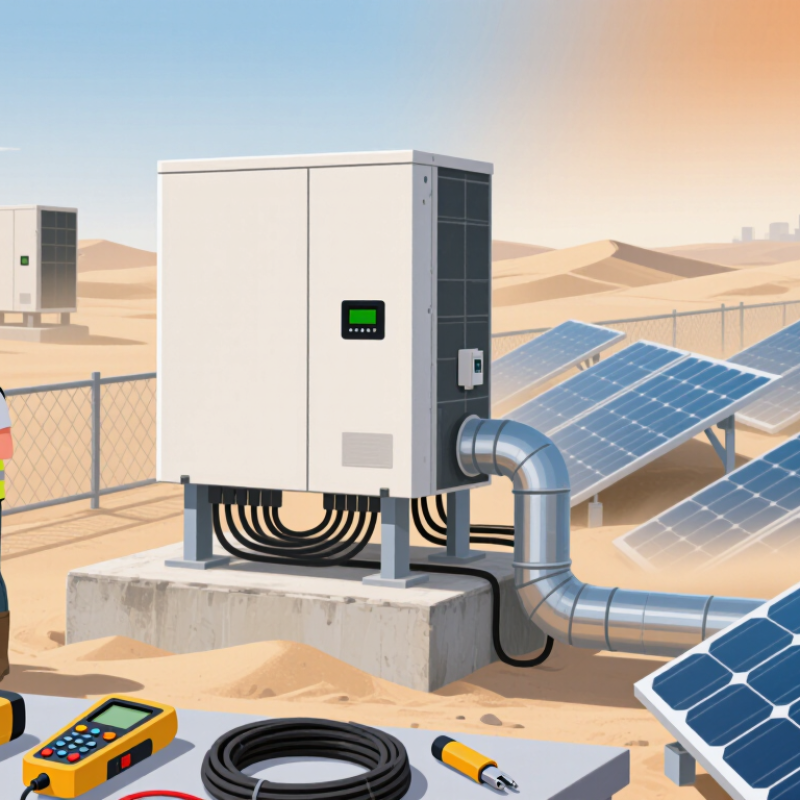
Top 10 Common Solar Inverter Problems and How to Fix Them
A solar inverter changes direct current into grid-compatible alternating current. It also tracks maximum power, manages protection, and records system performance. Picture it as the system’s translator and gatekeeper. Common failures include no output, warning codes, overheating, fan faults, insulation alarms, ground faults, communication loss, unstable grid voltage, damaged capacitors, and incorrect settings. These symptoms often overlap.
The IEA PVPS Trends 2024 report recorded more than 400 gigawatts of new photovoltaic capacity in 2023. That rapid expansion makes dependable inverter operation increasingly important. NREL’s 2024 Annual Technology Baseline commonly models inverter service life at about 15 years. Heat can shorten it. Dust can worsen it. Poor ventilation is frequently underestimated. Technicians should inspect air paths, terminal torque, cable insulation, and error histories before replacing hardware. A reset may hide the fault.
Grid voltage and frequency problems require measured values, not guesses. Installers should compare readings with local interconnection requirements and check for loose connections. Moisture inside enclosures can trigger insulation faults, especially after heavy rain or condensation. Thermal imaging may reveal hot terminals before visible damage appears. Monitoring failures can come from routers, meters, firmware, or configuration errors. The inverter may be healthy.
A clean checklist still misses field realities. I would not trust one alarm code alone. Confirm the symptom, isolate the circuit safely, and document conditions before repair.
Solar inverter basics and the main causes of system failure, ranked by a normalized troubleshooting-priority index for typical PV systems.
Grid interruptions, low energy production, overheating, insulation faults, and voltage problems are among the most frequent inverter issues. Start with the safest checks: review the inverter alarm code, verify grid availability, inspect DC and AC connections, confirm adequate ventilation, and use a qualified technician for live electrical testing.
A dark display may indicate lost grid power, a tripped breaker, or internal failure. Check the AC and DC disconnects, then read the event log.
Low energy production often comes from shading, dirty modules, loose connectors, or incorrect MPPT readings. Compare today’s output with the monitoring portal and clear-weather history. The IEA PVPS Snapshot 2025 reports more than 2.2 terawatts of global solar capacity, making reliable fault identification increasingly important.
Ten recurring problems deserve close attention: grid overvoltage, grid undervoltage, frequency errors, ground faults, insulation faults, arc-fault alarms, overheating, cooling-fan failure, communication loss, and battery or MPPT mismatch.
Heat leaves a practical clue. The cabinet may feel unusually warm, while output falls during midday. A ground or insulation fault may appear after rain, especially near damaged cables. Do not reset repeatedly.
NREL’s PV Fleet Performance 2024 findings show utility-scale systems generally maintain availability near 98%, but short outages still reduce yield. Use a calibrated multimeter only if qualified, and record voltage, current, temperature, and fault timing.
Manufacturer-neutral service records help separate a failed component from a site condition. Remote data can mislead. I have seen “inverter faults” disappear after replacing a corroded connector, so diagnosis should challenge the first assumption.
Never open energized equipment; a licensed technician should test internal circuits.
Solar inverter faults often look mysterious, but the warning signs usually follow a pattern. A blank display may indicate a tripped breaker, lost grid supply, or insufficient DC input. Check the main AC breaker and visible isolators without opening the inverter. Never touch exposed terminals. DC voltage can remain dangerous after shutdown.
Read the fault code and record its time, weather, and operating conditions. Low output may come from heavy shading, dirty panels, loose connections, or high module temperature. Compare today’s production with similar sunny days. A grid fault needs the utility connection checked by a qualified electrician. Insulation alarms require professional testing, especially after rain. Do not repeatedly reset the system.
Overheating often points to blocked airflow, direct sunlight, or a failed cooling fan. Clear dust around the vents, but keep the enclosure closed. Battery-related faults may involve low state of charge, temperature limits, or communication wiring. Check only accessible plugs and cables for damage. An intermittent restart can suggest unstable grid voltage or internal failure. It needs evidence, not guesses.
I have seen troubleshooting become slower after one careless reset. Photograph the screen before changing anything. Note every code. If alarms return, isolate the system according to its manual and contact a licensed technician. A missing communication signal can be harmless, but it can also hide a serious shutdown. Treat uncertainty as a fault condition.
Solar inverters commonly report low output, overheating, ground faults, loose terminals, failed fans, and battery errors. Safe diagnosis begins with the display history and recent weather conditions. A shaded panel, dusty air intake, or blocked ventilation gap can reduce performance. Turn off the approved disconnects and wait for the manufacturer’s stated discharge period before opening any enclosure. Never test exposed conductors casually. Use insulated tools and verify zero voltage with a properly rated meter.
Wiring problems often appear as intermittent shutdowns, hot connectors, flickering readings, or repeated fault codes. A qualified technician should inspect cable insulation, torque settings, grounding paths, and signs of moisture. Do not simply tighten every terminal; damaged copper may need replacement. Communication faults may come from reversed data wires, poor shielding, incorrect addresses, or water inside a connector. Check one cable at a time and record each change. Rushing this step creates new faults.
Tips: Photograph connections before removal. Keep a fault log. Compare readings under similar sunlight. If a breaker trips again, stop resetting it. I have found that “normal” voltage can still hide a loose connection, so measurements need context. Remote monitoring is helpful, but it is not proof that the system is safe. When heat damage, burning smells, arc marks, or repeated insulation faults appear, isolate the system and call a licensed solar professional. Mistakes happen, even during careful work.
| No. | Common Problem | Typical Symptoms | Likely Causes | Safe Checks and Repair Actions | Priority |
|---|---|---|---|---|---|
| 1 | Inverter Will Not Start | Blank display, no status lights, or no AC output during daylight. | AC isolator is off, DC disconnect is open, low battery state of charge, tripped circuit breaker, or insufficient PV voltage. | Check the external AC and DC switches only if authorized. Confirm the main breaker has not tripped and review the installation manual for the correct startup sequence. Do not remove covers or probe live terminals; use a qualified electrician for internal testing. | High |
| 2 | Low Energy Production | Daily yield is lower than expected, even in generally sunny conditions. | Panel shading, dirt, snow, incorrect design assumptions, high temperature, module degradation, or a failed MPPT input. | Compare production with weather and historical data. Visually check for shading, heavy dirt, cracked modules, or fallen leaves. Clean panels only from the ground or with safe access, following the panel manufacturer’s guidance. Have a technician test string voltage and current. | Medium |
| 3 | Grid or Utility Fault | Messages such as grid fault, overvoltage, undervoltage, or frequency error; repeated shutdowns. | Utility outage, unstable grid voltage, incorrect regional settings, loose AC wiring, or a faulty breaker. | Check whether nearby electrical equipment and utility service are operating. Record the fault time and frequency. Do not change grid-code settings without approval. A licensed electrician should verify AC voltage, frequency, torque, and conductor sizing. | High |
| 4 | DC Arc or Insulation Fault | Arc-fault warning, insulation alarm, burning smell, visible heat damage, or sudden loss of PV input. | Damaged cable insulation, loose connectors, water ingress, incompatible connectors, or an improperly terminated string. | Turn off the system only according to the approved shutdown procedure and keep clear of damaged equipment. Never reconnect or unplug DC connectors under load. Isolate the affected area and have a qualified solar technician perform insulation-resistance and connector tests. | Critical |
| 5 | Overheating or Thermal Derating | Output decreases during hot periods; temperature or fan warning appears. | Blocked ventilation, direct sun exposure, dust buildup, failed cooling fan, high ambient temperature, or excessive electrical loading. | Keep the ventilation area clear and remove external debris after shutdown. Do not spray water into the enclosure. If the warning continues, arrange professional inspection of fans, heatsinks, clearances, and operating current. | Medium |
| 6 | Loose or Incorrect Wiring | Intermittent shutdowns, flickering indicators, hot terminals, voltage imbalance, or repeated connection errors. | Loose terminal screws, reversed polarity, undersized conductors, incorrect torque, damaged lugs, or poor grounding. | Do not touch wiring based only on visual inspection. De-energization must be verified with properly rated test equipment by a qualified person. Re-terminate conductors using the specified cable type, torque values, polarity, and local electrical requirements. | High |
| 7 | Communication or Monitoring Failure | App or web portal shows the system offline, delayed data, or missing inverter readings. | Weak Wi-Fi or cellular signal, changed router password, gateway power loss, damaged communication cable, or network configuration error. | Confirm the inverter is producing power locally. Restart the network router and communication gateway if permitted. Check signal strength and network credentials. Avoid resetting factory settings unless configuration data has been saved; contact the installer for persistent faults. | Medium |
| 8 | Ground-Fault or Leakage Alarm | Ground-fault message, residual-current trip, repeated shutdown, or reduced PV operation after rain. | Moisture in junction boxes, damaged cables, poor grounding, cracked modules, or insulation breakdown. | Stop repeated resets. Keep people away from wet or damaged equipment and follow the emergency shutdown procedure. A qualified technician should locate the fault with insulation and grounding tests before the system is re-energized. | High |
| 9 | Battery Not Charging or Discharging Correctly | Battery remains at a fixed state of charge, charging stops early, or backup power is unavailable. | Low battery temperature, incorrect charge limits, battery communication loss, aging cells, tripped protection, or insufficient solar generation. | Review state-of-charge limits, operating temperature, and battery alarms through the normal user interface. Do not open battery enclosures or bypass battery protection. Use only approved settings and arrange service for persistent alarms or abnormal heat. | High |
| 10 | Repeated Error Codes or Unexpected Resets | The inverter restarts, displays recurring alarms, loses settings, or stops intermittently. | Firmware fault, unstable supply, memory or control-board issue, excessive electrical noise, or an unresolved wiring problem. | Record exact codes, dates, weather, load, and operating conditions before performing one normal restart. Install firmware only through approved procedures. If the error returns, preserve the logs and have an authorized technician test the system rather than repeatedly cycling power. | Medium |
Solar inverter faults often begin with small clues: a red warning light, repeated shutdowns, or a lower daily yield. Do not open the enclosure yourself. Inverters contain high-voltage DC electricity, even after the system appears inactive. The National Renewable Energy Laboratory’s Best Practices for Operation and Maintenance of Photovoltaic and Energy Storage Systems notes that inverter replacement planning commonly falls around 10–15 years. A sudden failure may still involve wiring, overheating, or grid conditions. Not every shutdown means the inverter is damaged.
Contact a qualified technician when alarms return after a safe system restart, production drops sharply, or the inverter makes unusual buzzing sounds. Ask for test results, not only a reset. A competent technician should inspect connectors, ventilation, insulation resistance, error history, and voltage readings. NREL guidance identifies 98%–99% availability as a common performance target for many utility-scale solar plants. Your home system may differ, but repeated downtime deserves attention. I sometimes see owners wait too long. That saves nothing when heat damage spreads.
Tips: Photograph the display before switching anything off. Record the time, weather, and error code. Keep clear airflow around the unit. Never bypass a protective alarm. If water enters the enclosure, smell burning, or cables look cracked, contact a certified professional immediately and keep people away. A remote reset can hide the real problem. That deserves a second look.
Review the display history and recent weather. Shade, dust, or blocked airflow may reduce production. Compare readings during similar sunlight.
No. High-voltage DC electricity may remain after shutdown. Use approved disconnects, wait the stated discharge period, and call a qualified technician.
Watch for hot connectors, flickering readings, repeated shutdowns, or recurring fault codes. A technician should inspect insulation, grounding, moisture, and terminal torque.
No. Damaged copper may require replacement. Tightening blindly can worsen the connection. Use insulated tools and proper testing methods.
Check one cable at a time. Look for reversed data wires, poor shielding, wrong addresses, or water inside connectors. Record every change.
Stop resetting it. Repeated trips may indicate a deeper fault. Keep people away and contact a qualified professional.
Contact one when alarms return, output drops sharply, or unusual buzzing continues. Ask for test results, not only a reset.
Photograph the display and connections. Record the error code, time, weather, and recent shutdowns. Small details can reveal patterns.
No. It can show performance, but it cannot confirm safe wiring or insulation. I have treated normal voltage as reassuring before. That was too simple.
Burning smells, heat damage, arc marks, cracked cables, water inside, or repeated insulation faults require immediate isolation. Keep people away.
Solar inverters are essential for converting solar panel power into usable electricity, but problems can arise from overheating, loose wiring, poor ventilation, grid interruptions, installation errors, or communication failures. This guide explains the basic role of an inverter and the main causes of system failure, then introduces ten common issues such as error messages, low output, unexpected shutdowns, unusual noise, and monitoring interruptions. It also shows how to troubleshoot common solar inverter problems by checking system indicators, reviewing connections, confirming grid conditions, and restarting equipment safely when appropriate.
The article provides step-by-step troubleshooting methods for performance, wiring, and communication faults while emphasizing personal safety and proper isolation procedures. Some issues may be resolved through simple inspections or settings checks, but internal electrical faults, repeated shutdowns, damaged cables, and persistent performance problems require a qualified solar inverter technician. Knowing when to stop troubleshooting can prevent further equipment damage and support a faster, safer repair.

Stuart Solar