Solar inverters work quietly until a warning light, rising temperature, or unexplained production drop demands attention. How to maintain solar inverters for optimal performance starts with a steady routine, not a rushed repair. Small clues matter: dust packed around ventilation grilles, a new fan noise, or repeated fault codes can signal a developing issue. Record inverter readings and alarms, then compare them with past performance and the system’s monitoring data.
Dr. Sarah Kurtz, a photovoltaic reliability researcher, has contributed extensively to understanding long-term PV system performance. A useful working principle, consistent with that reliability-focused approach, is: “Treat every alarm as a clue, not a diagnosis.” The sentence is simple. The follow-through takes care. An alarm may reflect a brief grid event, a communication fault, or a component problem; investigate patterns rather than guessing from one alert.
Keep the inverter’s surroundings clear and follow the manufacturer’s inspection schedule. Check visible cables, enclosure condition, ventilation openings, and monitoring connections without opening the equipment. Never ignore recurring alerts. Do not attempt internal repairs unless qualified to do so. A licensed solar technician can assess electrical faults, verify safe operating conditions, and confirm whether firmware or component updates are appropriate.
Maintenance cannot prevent every failure. That is worth admitting. A clean exterior does not prove that every internal component is healthy. Still, dated service notes, clear photographs, and production records make troubleshooting more precise. This guide explains the practical checks that help protect efficiency, extend equipment life, and catch avoidable problems early. Start with the signs your inverter already provides.
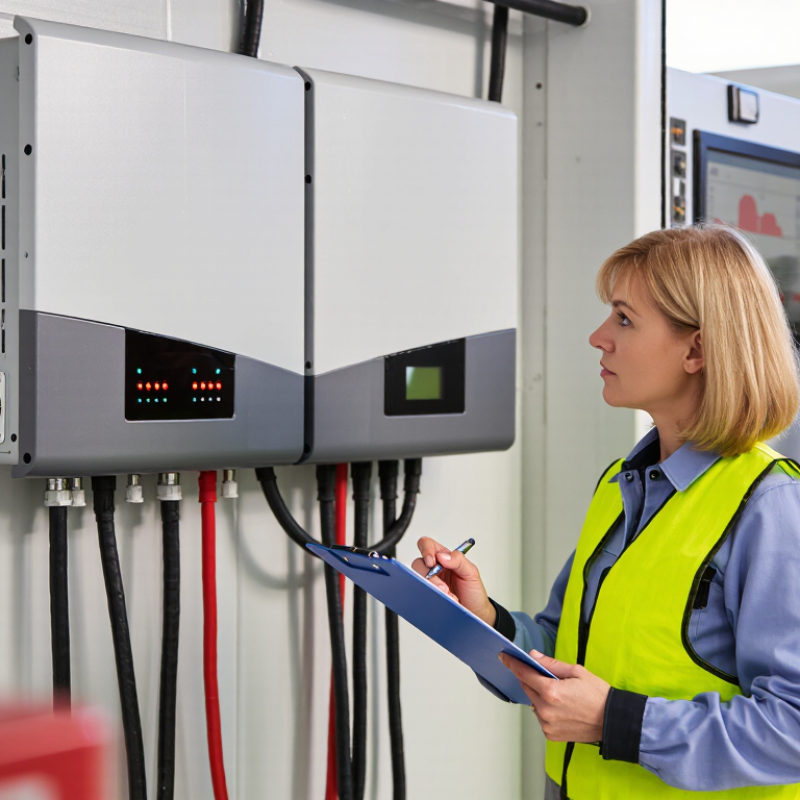
Solar inverters combine DC input stages, maximum-power-point tracking circuits, switching semiconductors, capacitors, and AC output controls. Cooling fans or heat sinks carry away heat. Dust packed around a vent can quietly reduce airflow. Keep the enclosure clear, but never open energized equipment.
Operating conditions shape component wear. High temperatures increase thermal stress, while repeated heating and cooling can strain solder joints and capacitors. NREL’s Photovoltaic Inverter Reliability Assessment discusses these components and thermal effects as reliability concerns. NREL’s 2021 U.S. Solar Photovoltaic System Cost Benchmark assumes a 15-year inverter service life. That is a planning assumption, not a replacement deadline. Inspect ventilation paths, cable connections, and warning indicators on the schedule specified by the manufacturer.
Moisture, salt-laden air, insects, and direct sun can also affect equipment, especially around seals and terminals. Note the inverter’s displayed temperature and fault history during routine checks. Compare readings over time. A clean-looking casing proves little. I would not treat a single inspection as proof of health; intermittent faults can be easy to miss. For alarms, unusual noise, or loose connections, use a qualified technician rather than touching internal parts.
Typical Solar Inverter Maintenance Schedule
Check inverter status and surrounding conditions monthly. Clean air intakes and filters as needed, and inspect wiring, ventilation, and cooling components periodically. These intervals are general guidance; follow the inverter manufacturer’s instructions and site-specific safety requirements.
Inspect the inverter and its surroundings on a regular schedule, and after severe weather. Look for dust, leaves, insect nests, water marks, corrosion, loose conduit, and damaged cables. Check that vents are clear and the unit has the required airflow space. Do not open electrical enclosures; use a qualified technician for internal work. Small details matter.
The IEA PVPS Task 13 report Soiling Losses (2022) estimates that soiling reduces global solar energy production by roughly 3–5% annually. That figure concerns panels, not inverter output, but it shows why dust and nearby debris deserve attention. Dust around an inverter can also restrict cooling airflow, potentially contributing to heat-related power reduction. Keep vegetation trimmed, but never spray or wash a hot inverter.
NREL’s 2018 Best Practices for Operation and Maintenance of Photovoltaic and Energy Storage Systems describes visual checks, alarm review, and maintenance records as important O&M practices. Note the inspection date, ambient conditions, visible changes, and any alarms; compare readings over time rather than relying on one glance. A phone photo can help. I’ve seen how easy it is to overlook a partially blocked vent when rushing. That’s worth correcting. If the casing is unusually hot, noisy, or damaged, keep clear and arrange professional assessment.
Dust, leaves, and insect nests can block an inverter’s cooling vents. Restricted airflow may cause the unit to run hotter and reduce output. During routine visual checks, look for debris around the vents and leave enough open space for air to circulate. Wipe exterior surfaces with a dry, soft cloth. Do not spray water into the enclosure or remove its cover. I have found that vent checks are easy to forget, especially when the inverter sits out of sight. A simple calendar reminder helps.
Tips: Check vents after windy weather. Keep plants, stored items, and loose materials away from the unit. If you notice unusual heat, warning lights, or a burning smell, stop and contact a qualified solar technician.
Electrical connections need attention, too. Look for visible corrosion, damaged insulation, loose conduit, or cables pulled taut by wind or nearby work. Never touch exposed wiring or tighten connections yourself; components can remain energized even when the system seems inactive. Follow the inverter’s maintenance instructions, and arrange professional inspection if anything looks damaged. A quick visual check cannot confirm that a connection is electrically sound, and that limitation is worth remembering. Regular, careful checks can catch obvious problems before they worsen.
A useful inverter check starts with trends, not a single daily reading. Review energy production, operating hours, DC input, AC output, and temperature at consistent times. Compare similar sunny days, since clouds, shade, and seasonal changes can explain ordinary dips. A sudden drop under clear skies deserves a closer look. Small changes matter.
Keep a simple log with dates, weather, readings, and alert codes. If an alert appears, note its exact wording and time before restarting the system; a reset may clear details that help identify the cause. Check whether the alert repeats, and compare it with production data from the same period. One warning may be temporary, but recurring alerts or unusual heat should not be ignored. Monitoring portals can also be delayed or incomplete, so readings are clues, not proof. Do not open the inverter enclosure or touch wiring. If an alert persists, production stays low, or the unit makes unusual noises, contact a qualified solar technician and share the log. It can feel excessive to record small fluctuations, but those notes often reveal whether the issue is weather, a developing fault, or simply an imperfect measurement.
| Date & Time | Inverter | AC Output | DC Input | Conversion Efficiency | Temperature | Fault Alert | Recommended Investigation | Status |
|---|---|---|---|---|---|---|---|---|
| 2026-06-15 10:00 | INV-01 | 7.42 kW | 612 V DC | 97.6% | 48°C | No active alert | Continue routine monitoring; compare output with irradiance and recent operating history. | Normal |
| 2026-06-15 11:00 | INV-01 | 6.18 kW | 608 V DC | 96.9% | 51°C | Output below recent daytime trend | Check shading, soiling, and string-level readings; compare with nearby inverters under similar conditions. | Investigate |
| 2026-06-15 12:00 | INV-02 | 8.06 kW | 625 V DC | 97.8% | 54°C | High internal temperature warning | Inspect ventilation paths and cooling fans; verify the ambient temperature and installation clearances. | Investigate |
| 2026-06-15 13:00 | INV-02 | 0.00 kW | 618 V DC | — | 49°C | Grid overvoltage trip | Review grid-voltage history and event logs. Have a qualified technician check the AC connection and utility supply before resetting. | Prompt action |
| 2026-06-15 14:00 | INV-03 | 5.91 kW | 601 V DC | 97.1% | 47°C | Intermittent insulation resistance alert | Keep the alert record and arrange a qualified inspection of DC wiring, connectors, and moisture exposure. Do not disconnect live circuits. | Prompt action |
| 2026-06-15 15:00 | INV-01 | 7.10 kW | 610 V DC | 97.4% | 50°C | Alert cleared; output recovered | Confirm stable readings in subsequent intervals and document the alert duration and any corrective work. | Monitor |
Note: Example monitoring log with representative operating values. Compare readings and alert thresholds with the inverter’s specifications, site conditions, and applicable electrical safety procedures.
Safe inverter maintenance begins with observation, not opening the enclosure. Check the display for warnings and note unusual sounds, heat, or changes in daily output. Look around the unit for blocked vents, leaves, dust buildup, or signs of moisture. Keep the area clear and dry. Solar panels may still supply DC power in daylight, so never remove covers or probe terminals yourself. Follow the inverter’s manual for safe shutdown and inspection limits.
Arrange periodic testing and professional maintenance with a qualified solar technician, especially after an alarm, storm, or unexpected drop in production. A technician can inspect wiring, connections, cooling, protective devices, and operating data using suitable equipment. Ask for findings in writing and keep service records; they make gradual performance changes easier to spot. Inspection intervals vary by system and environment, so use the manufacturer’s guidance. One easy oversight is postponing a check because the inverter still appears to work.
Tips: Keep vents unobstructed. Photograph warning messages before resetting anything. Don’t spray or pressure-wash the unit. When something seems off, stop troubleshooting and contact a professional; guessing can make a small issue harder to diagnose.
Look for dust, leaves, insect nests, water marks, corrosion, damaged cables, and loose conduit. Small details matter.
Blocked vents restrict airflow and may contribute to excess heat or reduced output. Check after windy weather. I still forget.
Use a dry, soft cloth on exterior surfaces. Keep water out of the enclosure, and never remove its cover.
No. It is a planning assumption, not a fixed replacement date. Follow the maintenance schedule specified for your inverter.
Keep clear and arrange an inspection by a qualified technician. Never touch exposed wiring or tighten connections yourself.
Keep away from the unit and contact a qualified technician. Treat warning lights or a burning smell seriously.
Note the date, surrounding conditions, visible changes, displayed temperature, and any alarms. Compare readings over time; one check can miss intermittent faults.
Not exactly. Dust on panels can reduce their energy production, while debris near inverter vents can restrict cooling airflow. A clean casing proves little.
How to maintain solar inverters for optimal performance begins with understanding their main components and the conditions in which they operate. Regularly inspect the inverter and the area around it for dust, moisture, signs of damage, or anything that could restrict airflow. Keep cooling vents clear, and check that electrical connections remain clean, secure, and free from visible wear. A tidy, well-ventilated installation area helps the equipment manage heat and operate reliably.
Monitor performance data routinely and investigate unusual changes or fault alerts rather than ignoring them. Record recurring issues and note when they occur, which can help identify developing problems. Any testing or maintenance involving electrical components should be planned safely and carried out by a qualified professional when needed. Consistent inspections, clear airflow, attention to system alerts, and timely professional support can help extend inverter service life and maintain steady solar system performance.

Stuart Solar